Lab Informations
Important
Don’t forget to archive and copy your git repo on the own notebook at the end of the course
WLAN
| SSID | password |
|---|---|
| confirm-lab | labinabox |
host informations
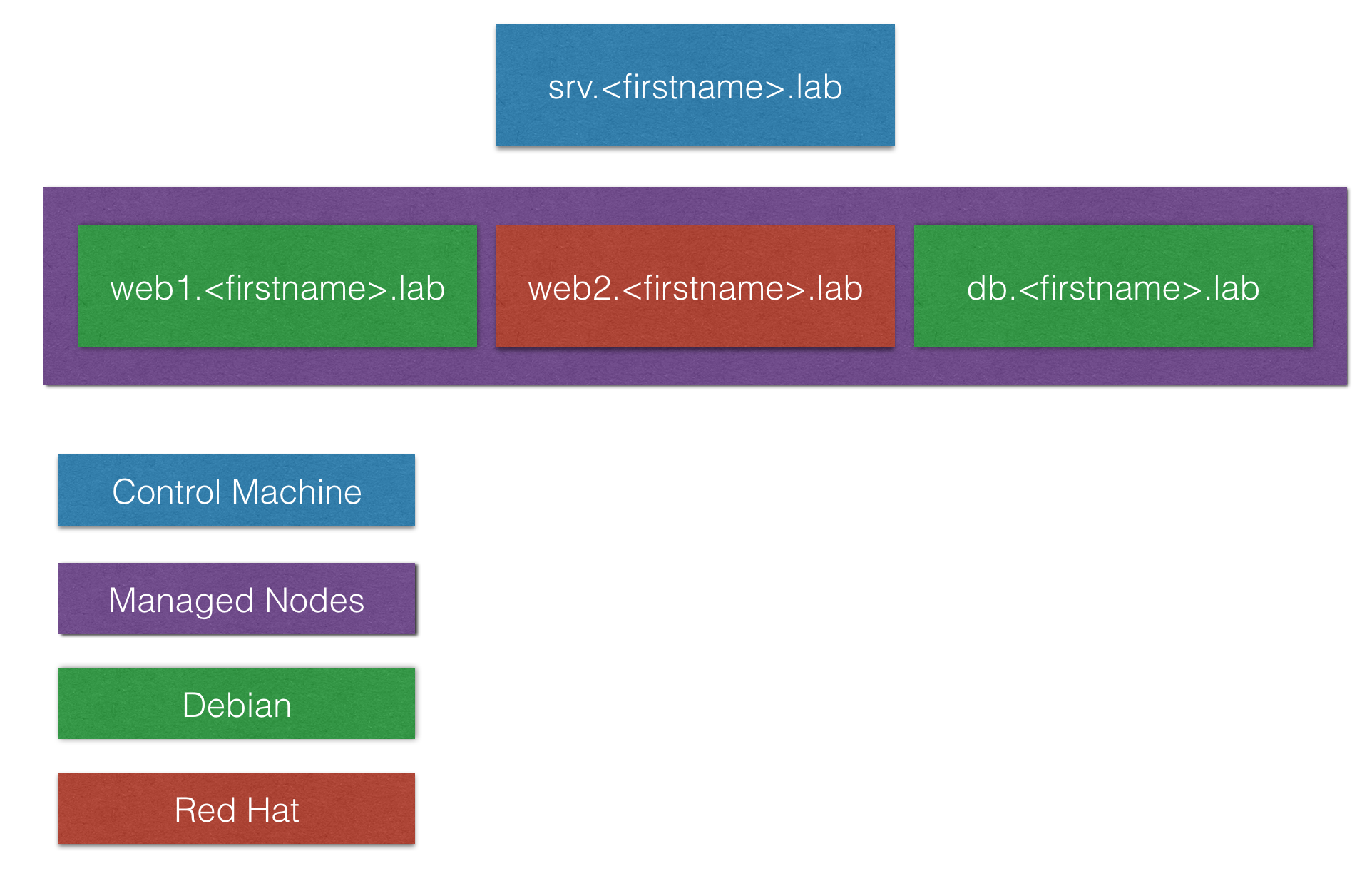
| function | os | hostname / dns |
|---|---|---|
| srv | debian9 | srv.<name>.lab |
| web1 | debian9 | web1.<name>.lab |
| web2 | centos7 | web2.<name>.lab |
| db | debian9 | db.<name>.lab |
users
| username | password |
|---|---|
| root | login |
| ansible | login |
sudo
The ansible user can run every command as root without password. You can also switch user to root.
# switch to root user
sudo su - root
ssh setup
On all servers are ssh keys deployed for the ansible and root user. So you can connect between your servers without a password.
# connect from srv to web1
ssh web1.<name>.lab
Important
Please be aware, that ssh host key checking is enabled. So you have to accept the key exchange.
Connect to your server
For both users is the password login.
# connect to your server as root user
ssh -l root srv.<name>.lab

# connect to your server as ansible user
ssh -l ansible srv.<name>.lab
Overview