4. Introduction in Ansible
4.1. About Ansible
- K-I-S-S configuration management tool
- invented by Michael DeHaan
- project started in 2012
- written in Python
- open source
- configuration as data, not code -> no coding skills needed
- human readable configuration
- big community
4.2. Functions
- configuration management tool
- application deployment
- orchestration tool
- remote execution
4.3. Architecture
agentless architecture
masterless -> can run from everywhere
python is needed on the managed host
yaml definition
jinja2 template engine
a lot of modules for different tasks (packages, services, configs, ...)
idempotent -> always get the same state on the managed host
communication methods
- push via ssh (recommended)
- pull from SCM and run locally
- manage everything local
4.4. Requirements
4.4.1. Control Machine Requirements
- Ansible Core
- Python 2.4 or later
- Inventory & Config File
- Ansible project
4.4.2. Managed Node Requirements
- SSH for push architecture
- Python 2.4 or later
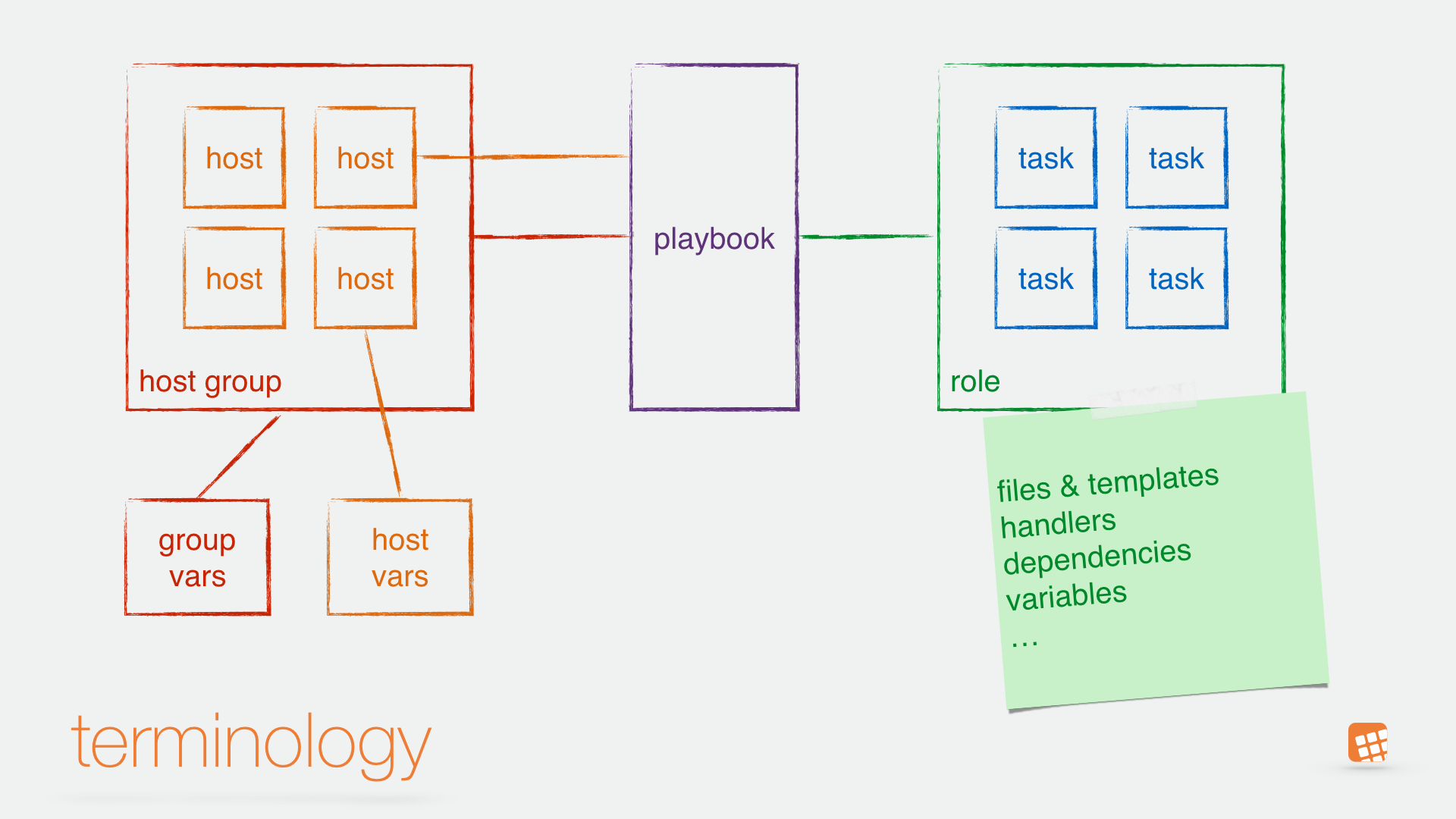
4.5. Terminology
Playbooks contain Plays
Plays contain Roles (or Tasks)
Roles contain Tasks
- Tasks call Modules
4.6. First steps
4.6.1. on the Control Machine
- Installation of Ansible
- Create a user
- Create a ssh-key
- Rollout the ssh-key to all managed Nodes
- Test SSH connection (without Ansible)
- add managed nodes to inventory file
- add basic configuration file
ansible.cfg - run your first Ansible tests
4.6.2. on the managed Nodes
- Create a user
- add sudo rule
4.7. Installation of Ansible
- from OS packages
- from pip
- from git
# via apt on debian/ubuntu
apt-get install ansible

# via yum on redhat/centos - EPEL repo needed
yum install ansible

# via pip
pip install ansible

# via github
git clone https://github.com/ansible/ansible.git
Hint
On Red Hat / Centos is the EPEL Channel needed.
Important
On some distributions is not the latest Ansible version available if you install Ansible via OS package manager. In that case, use pip.
Hint
Ansible installation via pip includes no configuration file.
4.8. Installation of PIP
On Debian-based Linux derivates
apt-get install python-pip
On RedHat-based Linux derivates (EPEL repo needed)
yum install python-pip
On Mac OS X pip will automatically be installed if you install Python by brew
brew install python
Hint
In case brew cannot be found you’ve to install Homebrew first.